This is the whole app

Every screen you would touch in a week, in the order you meet them.

These screens come from one real account, with that student's permission. Two of them are made up, and they say so. Your numbers will be your own.

01

Log a meal

TBU works out the calories and the macros from what you write or photograph. Then it shows you the day that meal would make, and waits.
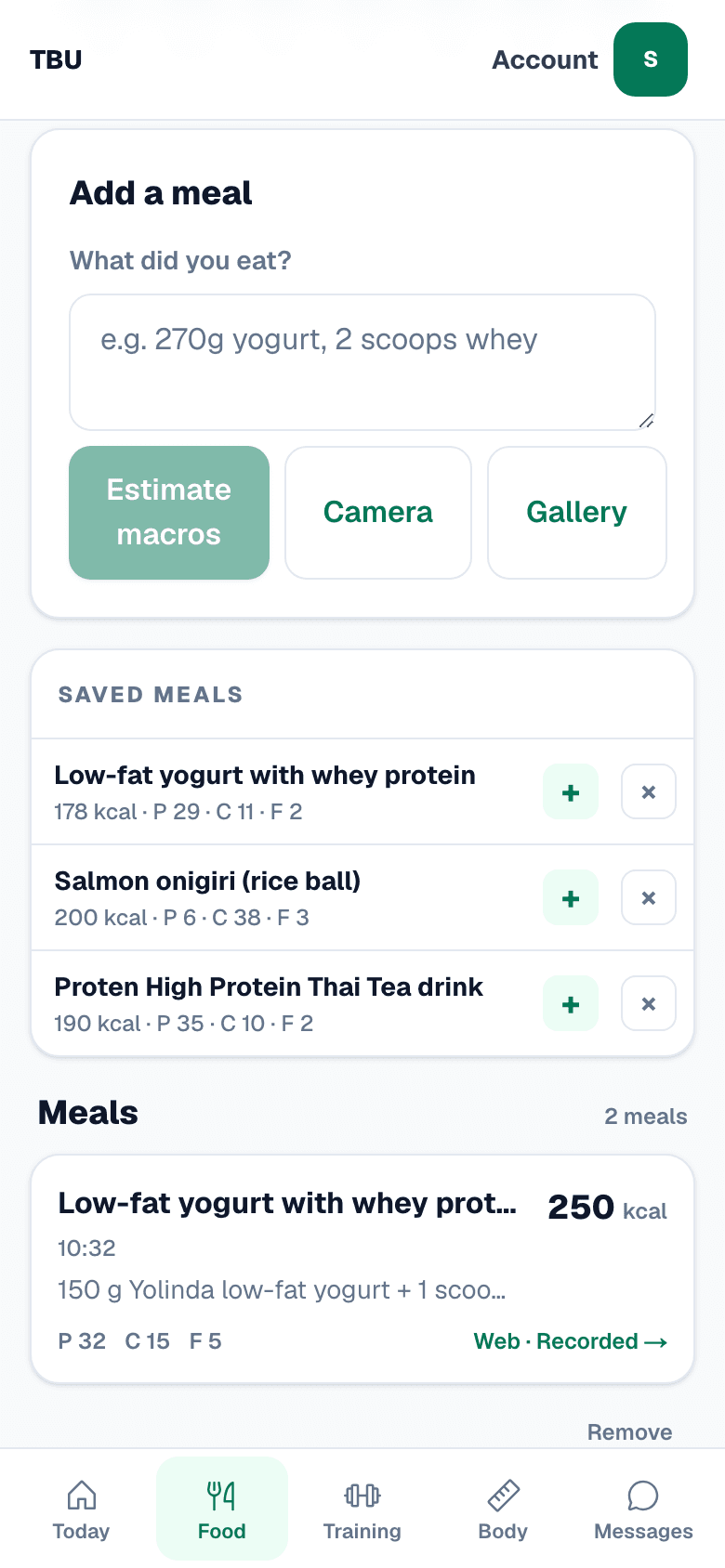
The Total Body Upgrade food screen on a phone: a box asking what did you eat, buttons for Camera and Gallery, and a list of saved meals underneath
Three ways in. Write what you ate, photograph it, or pick it out of your gallery. The meals you eat every week sit underneath. One tap each.
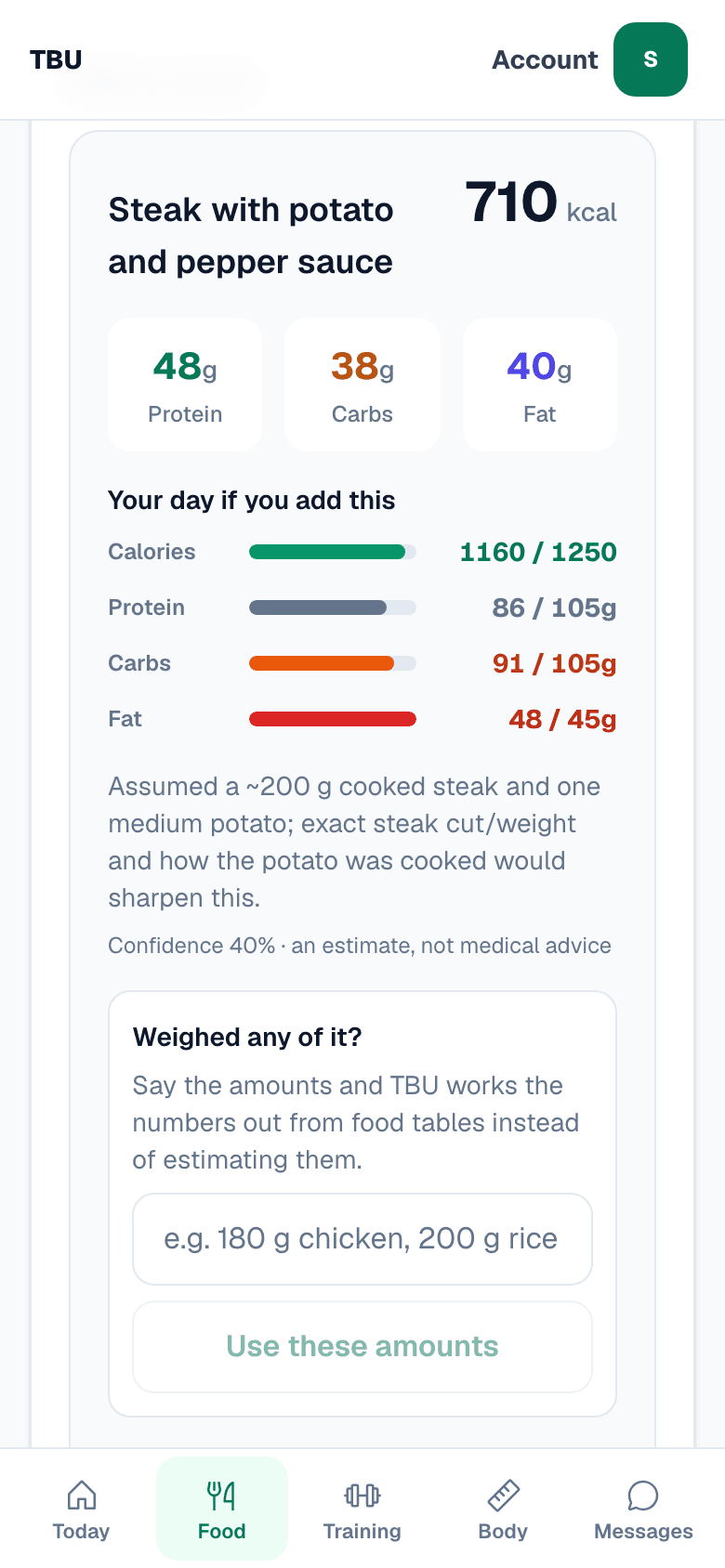
A meal estimate on a phone: steak with potato and pepper sauce at 710 kcal, protein carbs and fat, and a projection headed Your day if you add this reading 1160 of 1250 calories
710 kcal for the steak. That would put the day at 1,160 against a 1,250 target. It shows what it assumed, down to the 200 g steak, and how sure it is. You decide before you eat.
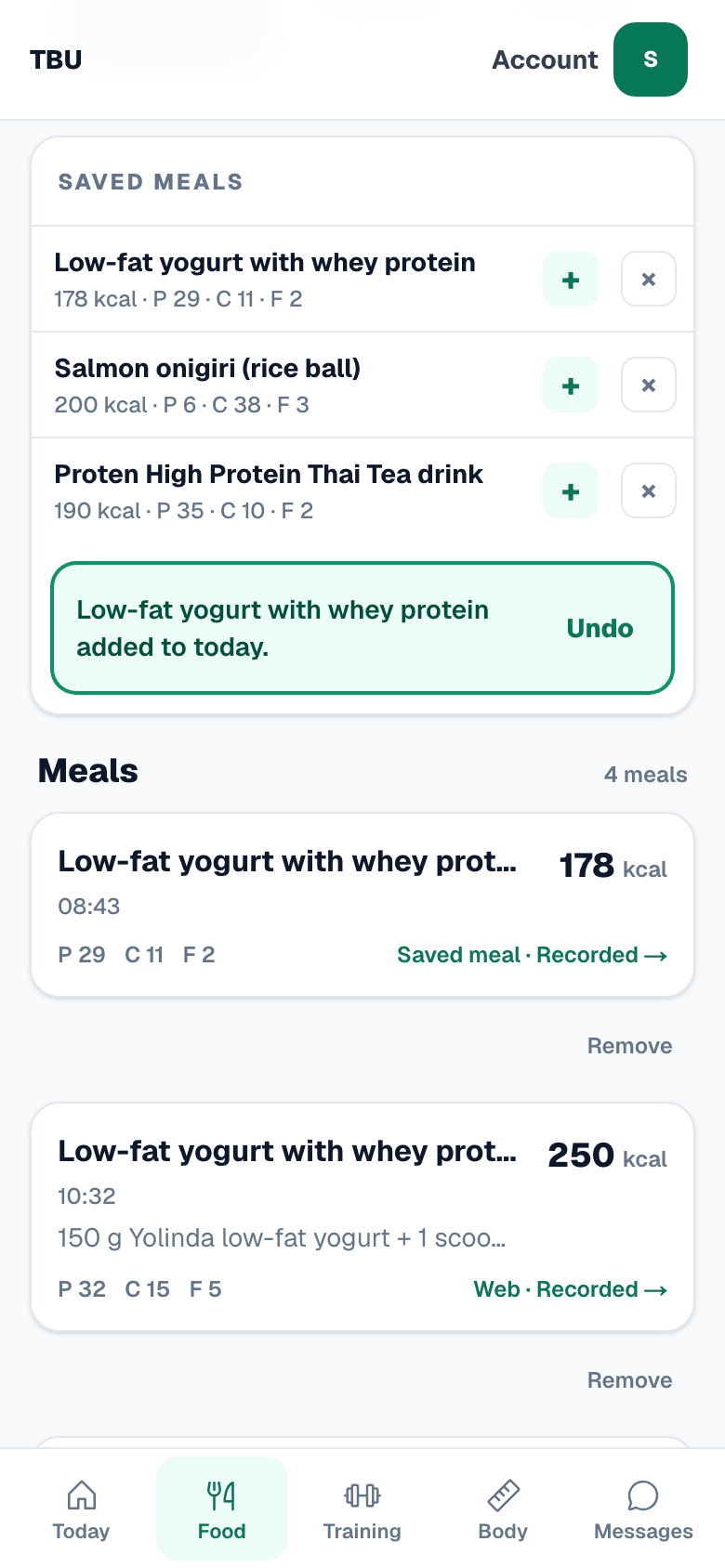
The saved meals list on a phone with a confirmation reading low-fat yogurt with whey protein added to today, and an Undo button
The same yogurt every morning goes in with one tap. Undo is right there if you tap the wrong one.
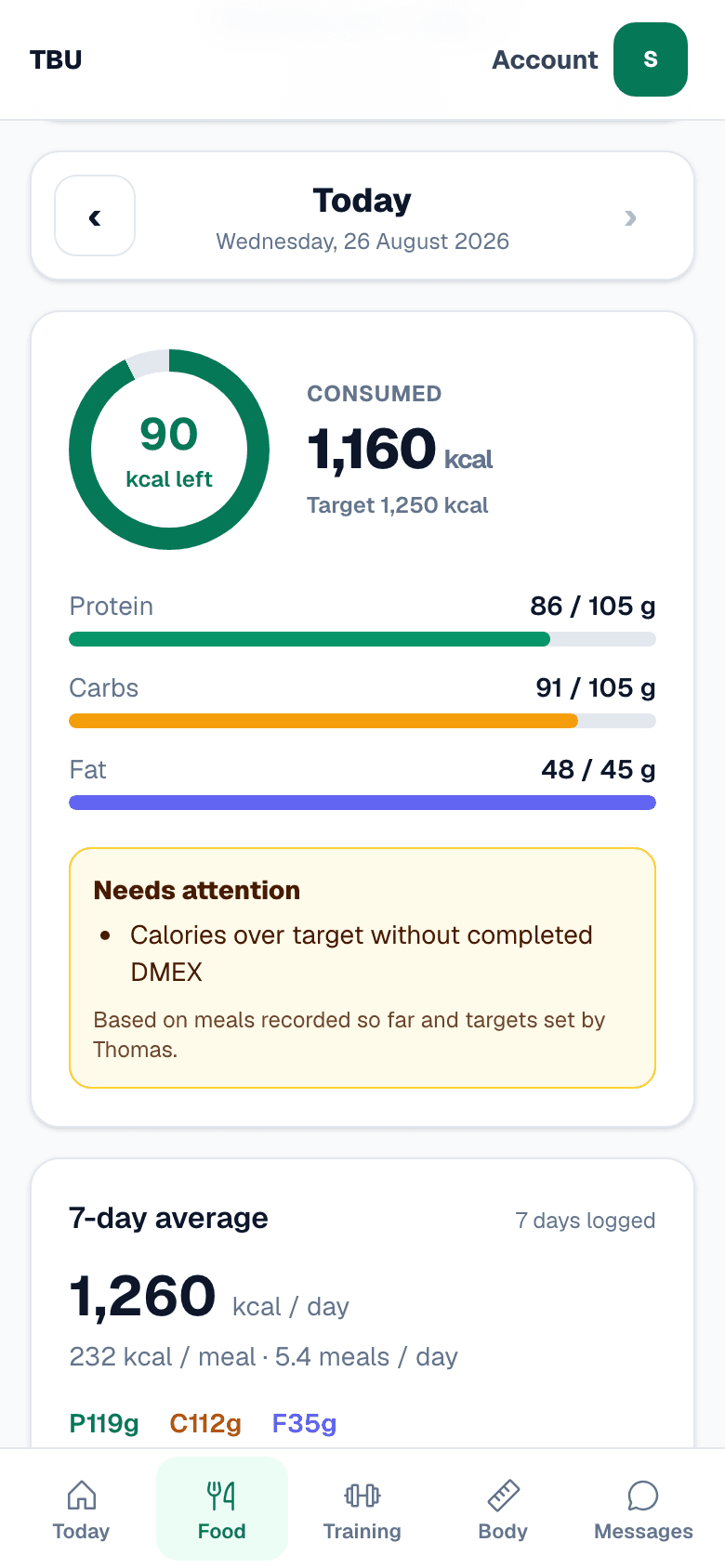
The food day on a phone: a ring reading 90 kcal left, 1160 consumed against a 1250 target, protein carbs and fat bars, and a panel headed Needs attention
90 kcal left. Protein, carbs and fat against the numbers Thomas set. The amber panel is about the week. One of the last seven days went over target on a rest day.
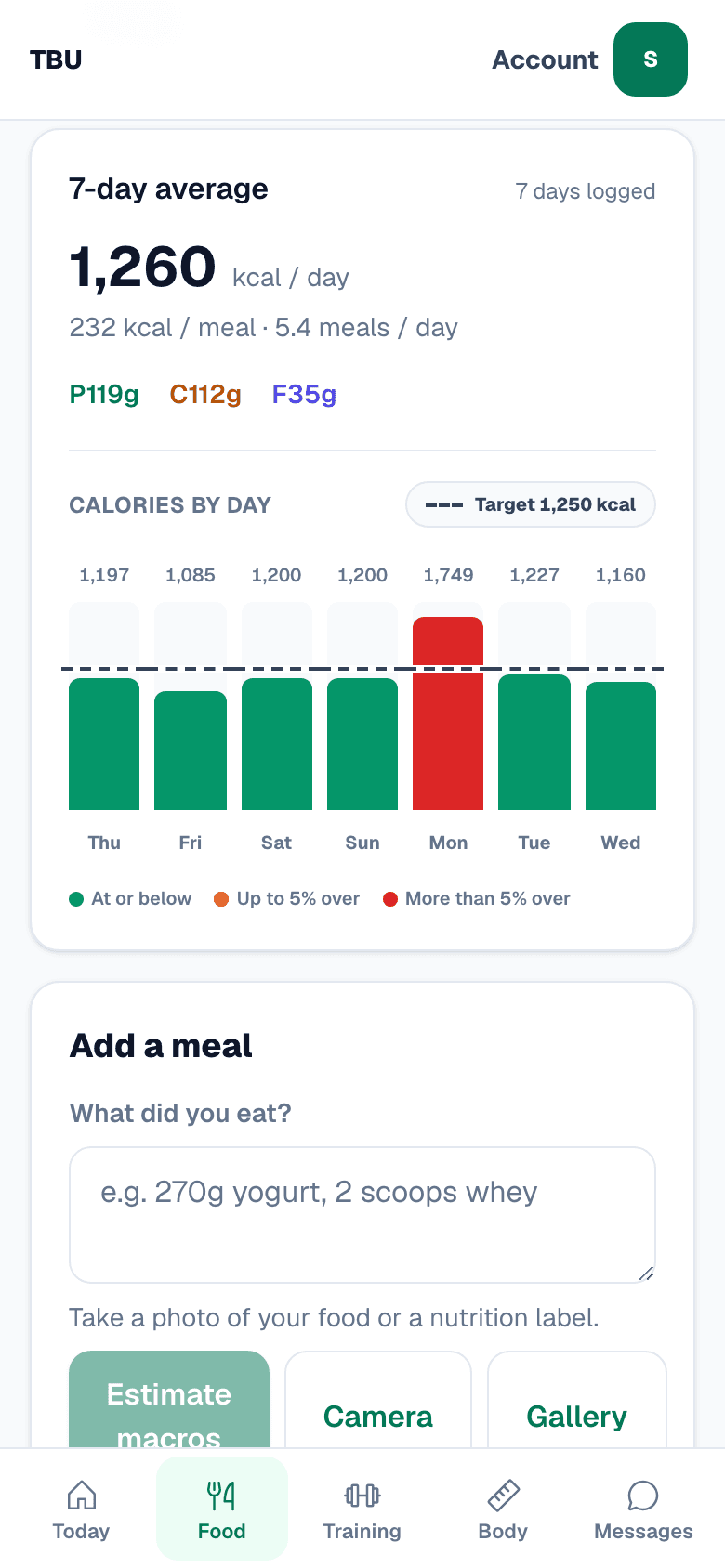
A seven-day calorie chart on a phone showing 1197, 1085, 1200, 1200, 1749, 1227 and 1160 calories against a 1250 target line
Seven days against the line. Six under, one over. That is the week. Thomas sees the same days and colours.
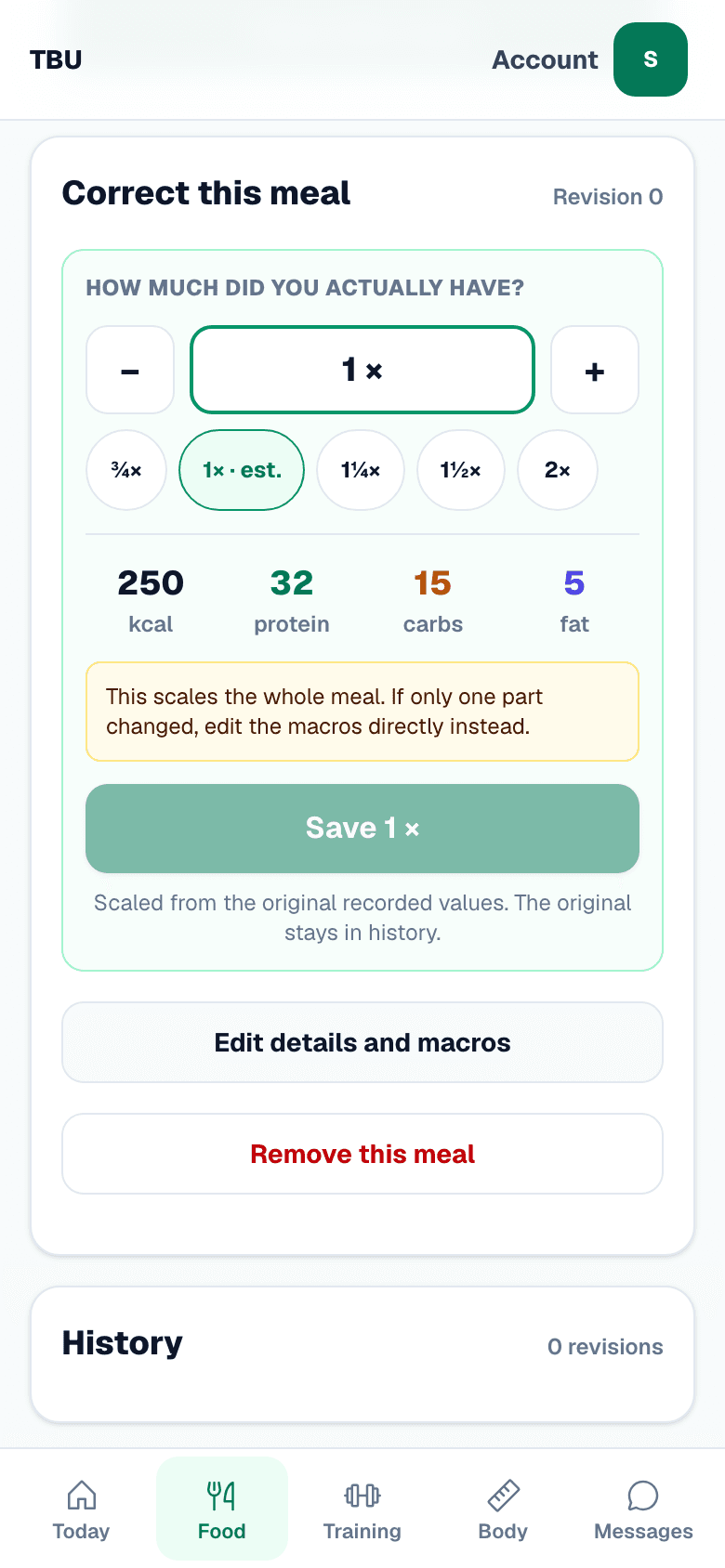
The correct this meal screen on a phone with a portion scaler at 1x, quick buttons for three quarters, one and a quarter, one and a half and double, and live calorie and macro figures
Ate half of it? Tap ½×. Every number moves with it. TBU keeps the original underneath, and you can type the macros yourself.

02

Not everyone gets 1,250

Thomas sets your calories and your macros. Same screen, different numbers.
A food day on a phone with a 1250 calorie target, 1160 consumed and 90 kcal left
Cutting. 1,250 a day, and a day that landed 90 under.
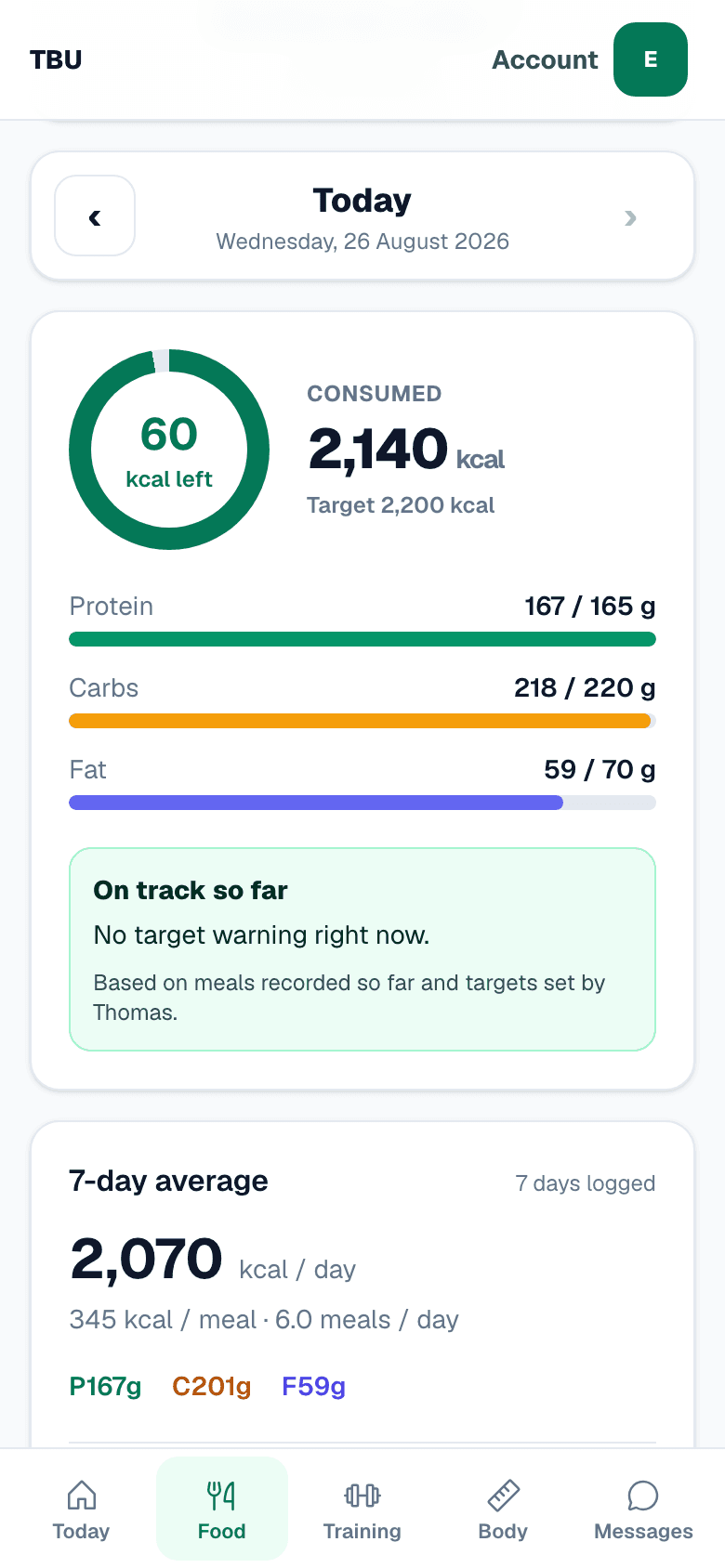
A food day on a phone with a 2200 calorie target, 2140 consumed and 60 kcal left
Holding weight. 2,200 a day.Example account. Made-up food, real screen.
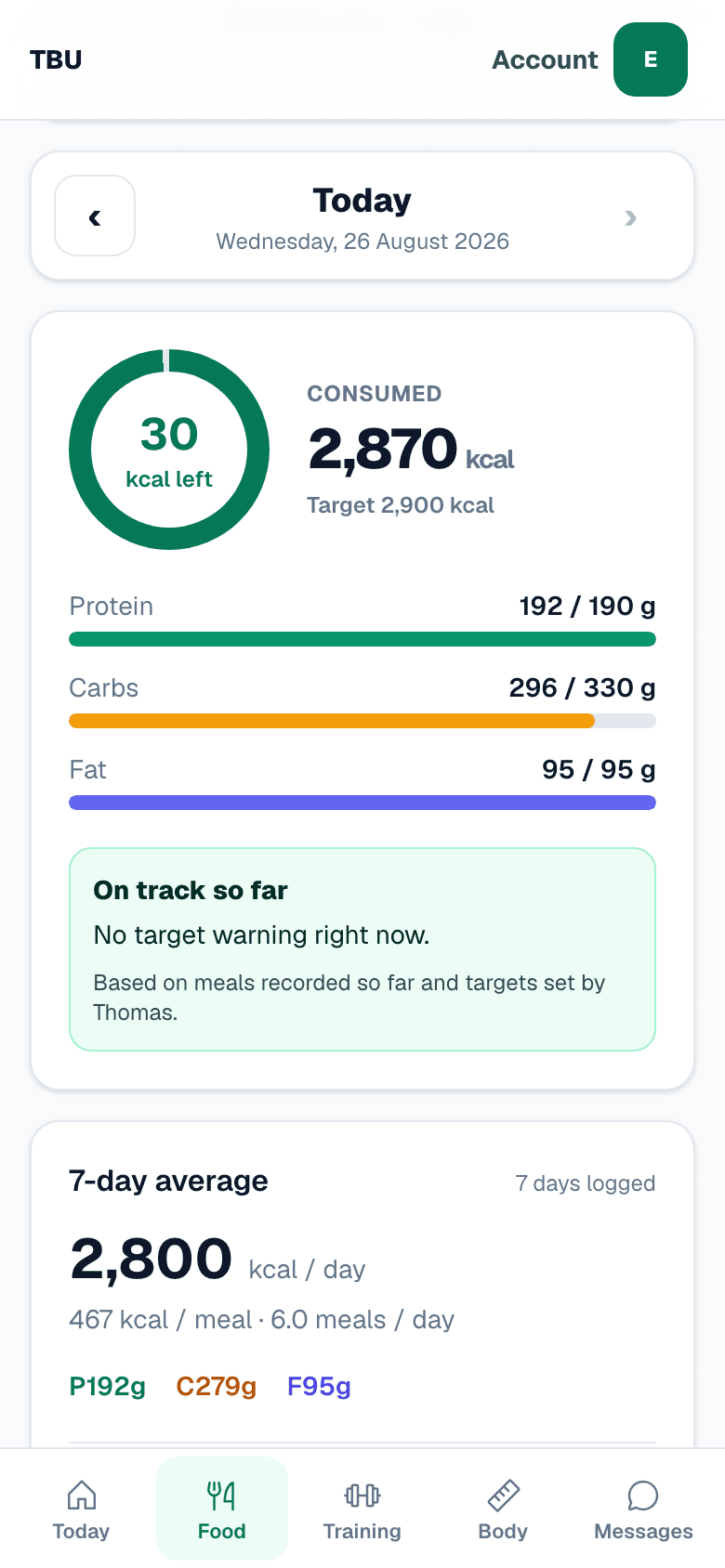
A food day on a phone with a 2900 calorie target, 2870 consumed and 30 kcal left, and a panel reading On track so far
Building. 2,900 a day, and the protein has to be hit.Example account. Made-up food, real screen.

03

Do the workout

Thomas writes the plan and hangs his videos on the exercises. TBU holds the plan while you train and writes down what you did.
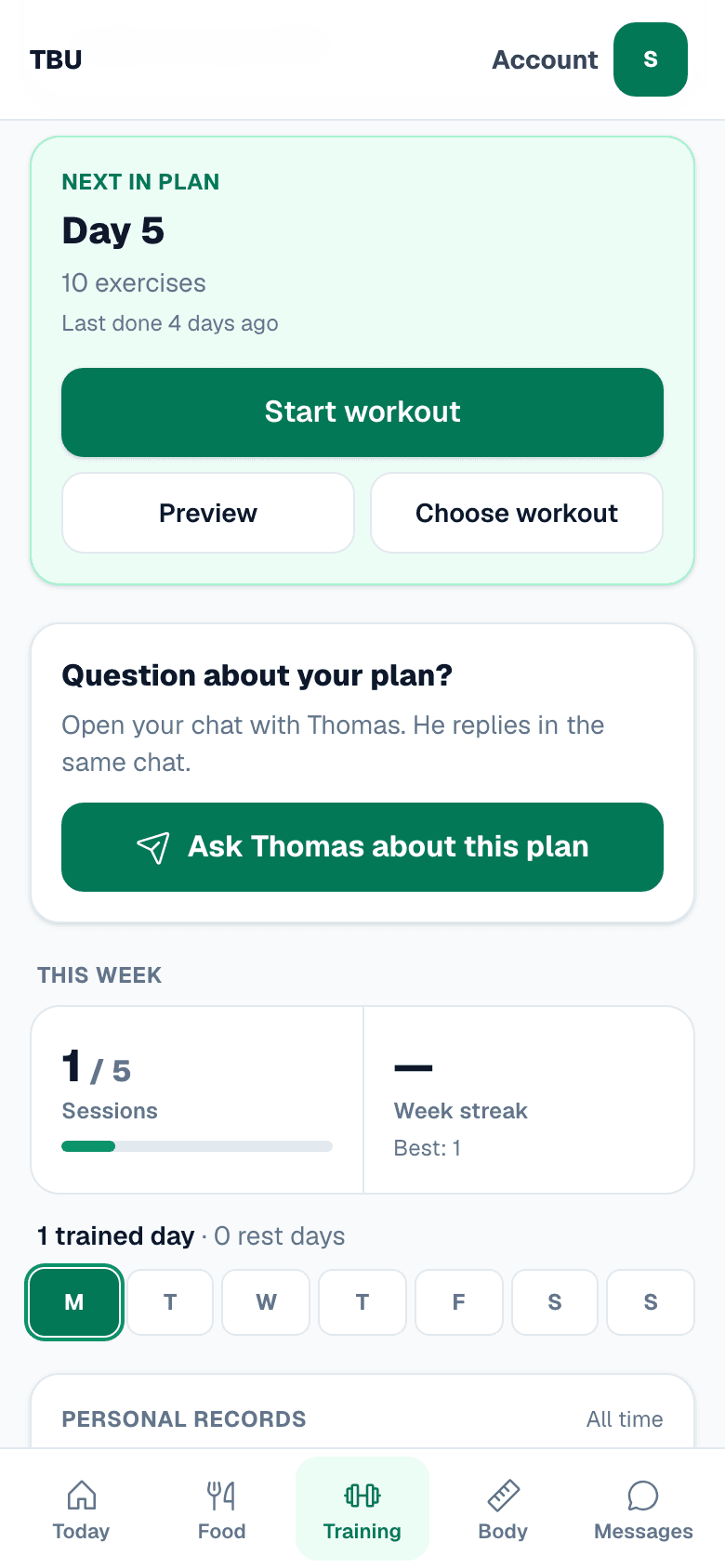
The training screen on a phone: next in plan, Day 5, ten exercises, last done four days ago, and a Start workout button
Day 5, ten exercises, last done four days ago. Start it, or read the exercises first.
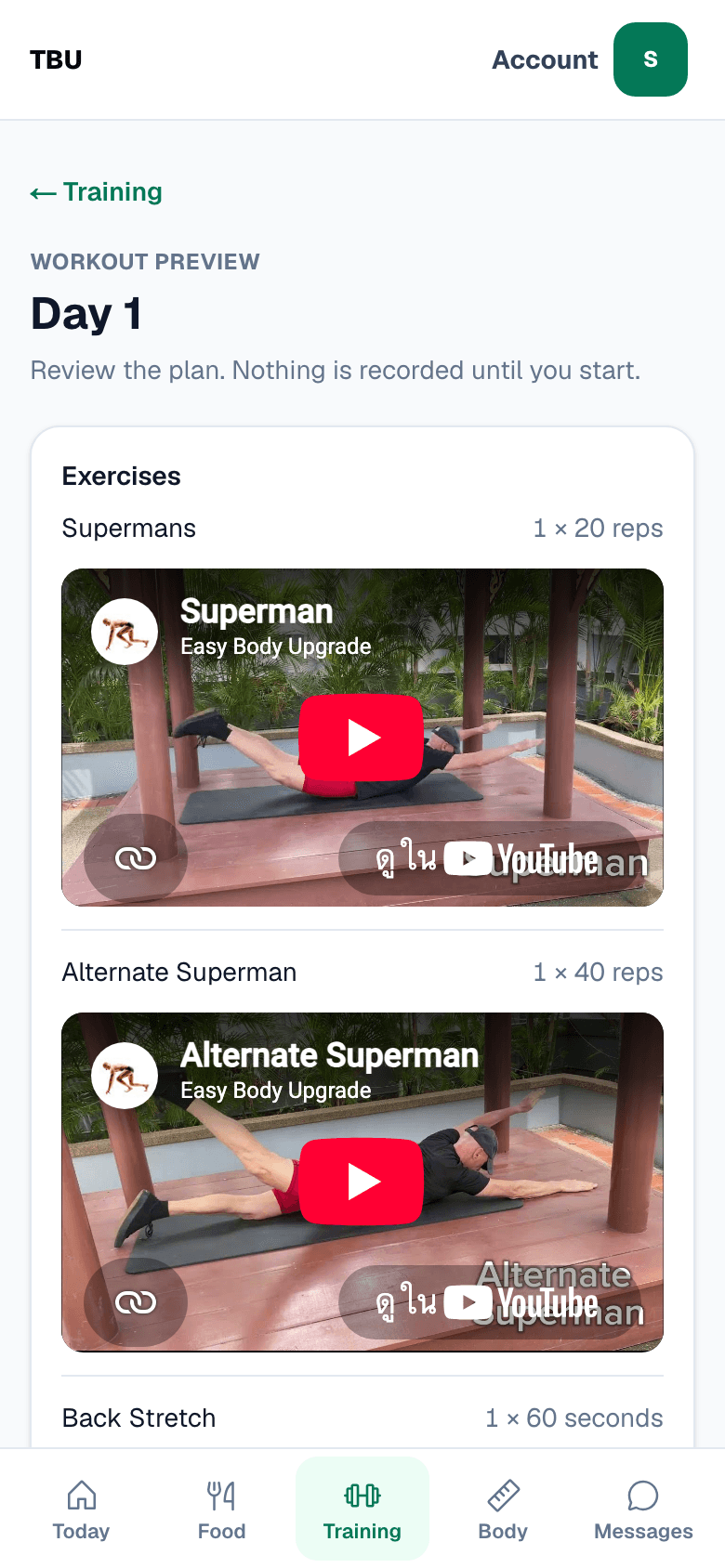
A workout preview on a phone showing Supermans and Alternate Superman, each with an embedded video of Thomas demonstrating the movement
Thomas hangs his own video on the exercise. If you have never done a Superman, watch him do one first.
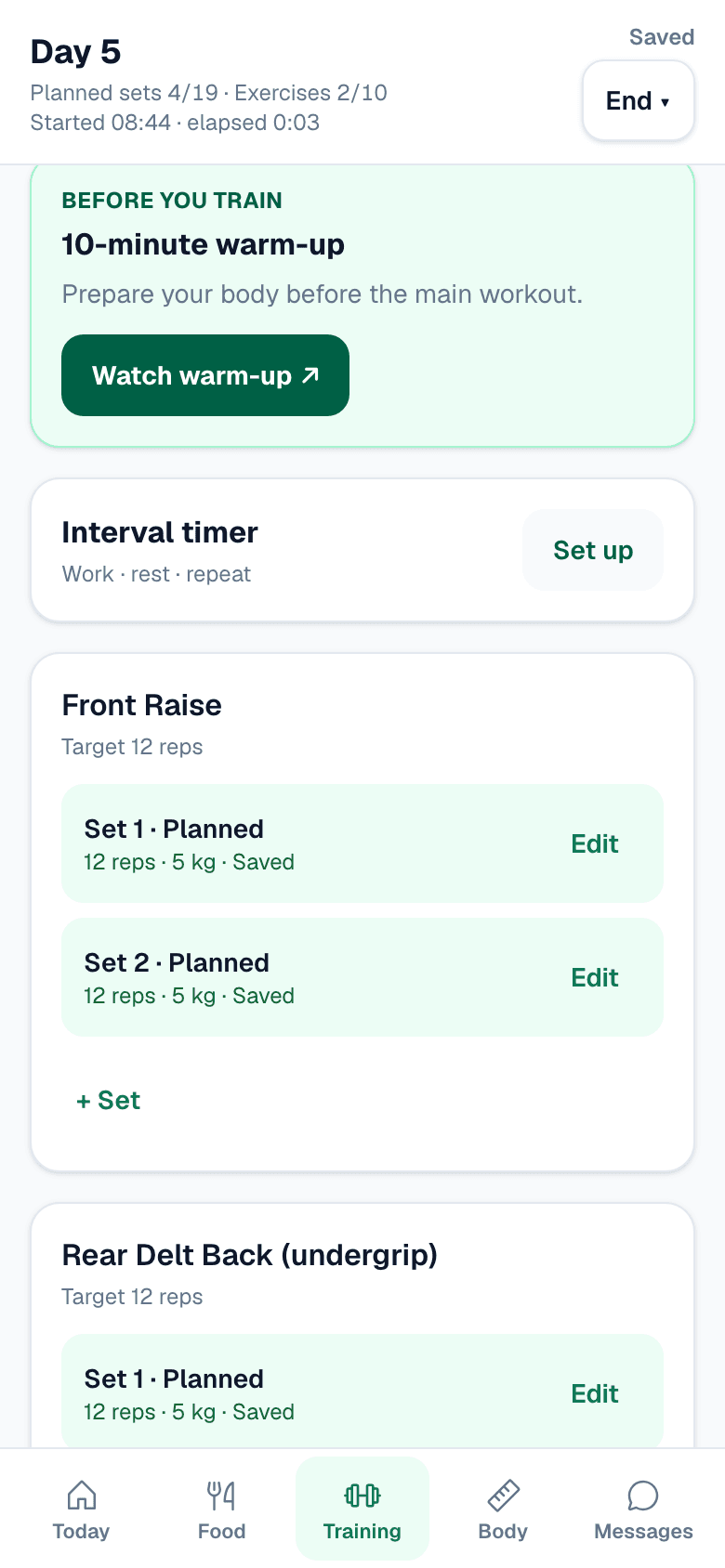
A workout in progress on a phone with a card reading before you train, ten-minute warm-up, and a Watch warm-up button
A ten-minute warm-up sits above the first set.
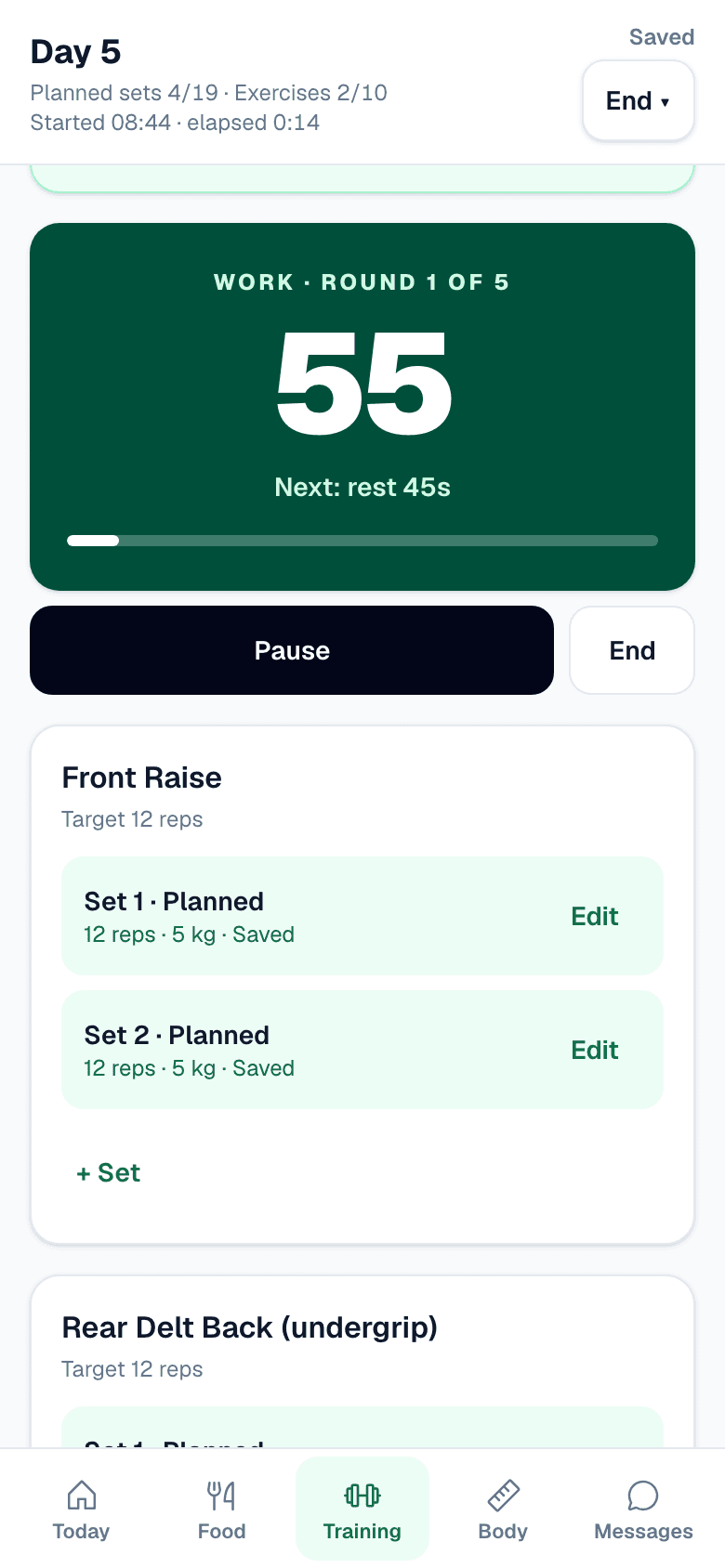
The interval timer running on a phone: work, round one of five, a large countdown and Pause and End buttons
Work, rest, repeat. Five rounds, sixty seconds of work, counted for you.
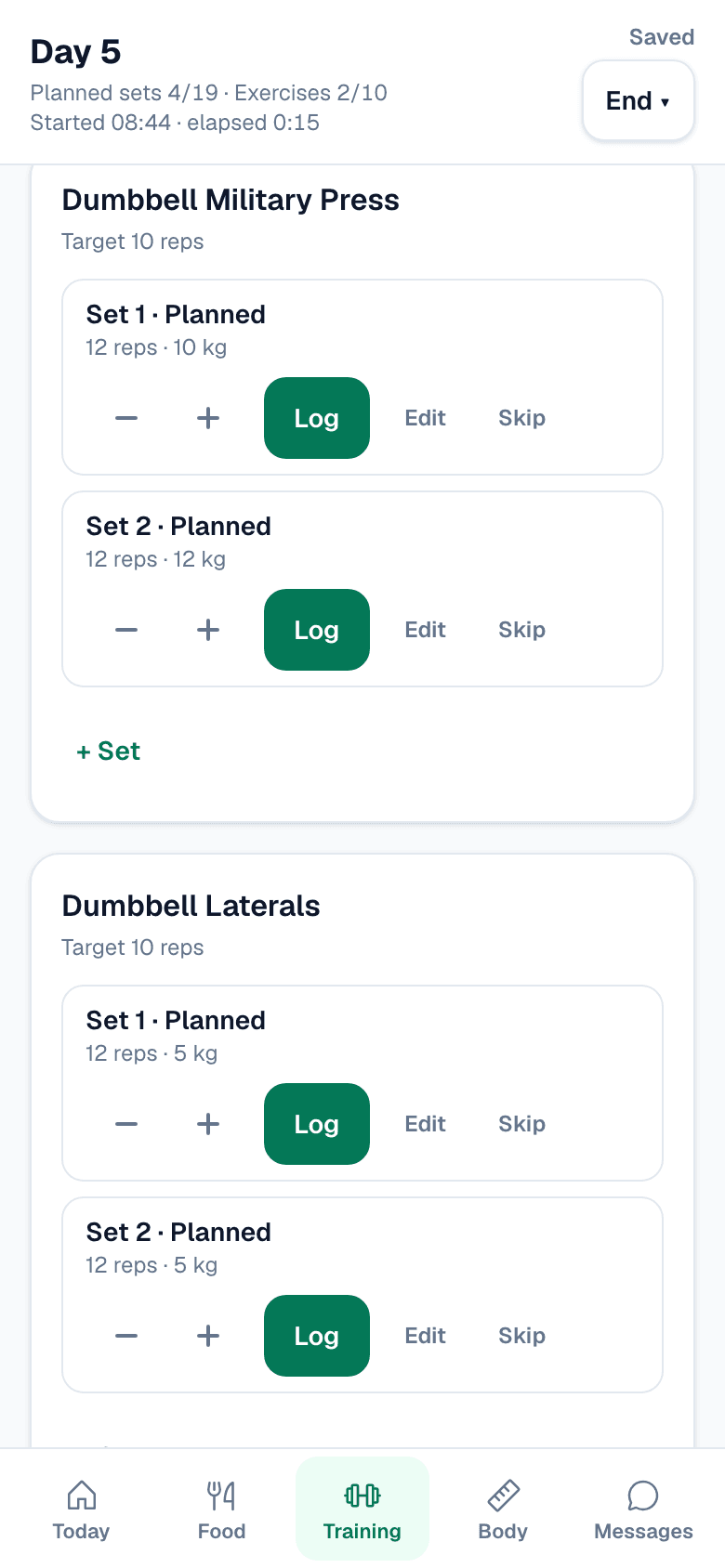
A workout in progress on a phone: dumbbell military press with 12 reps and 10 kg already filled in, and Log, Edit and Skip on each set
10 kg on the military press last time, so 10 kg is already in the box. Log it, change it, or skip it. It saves between sets.
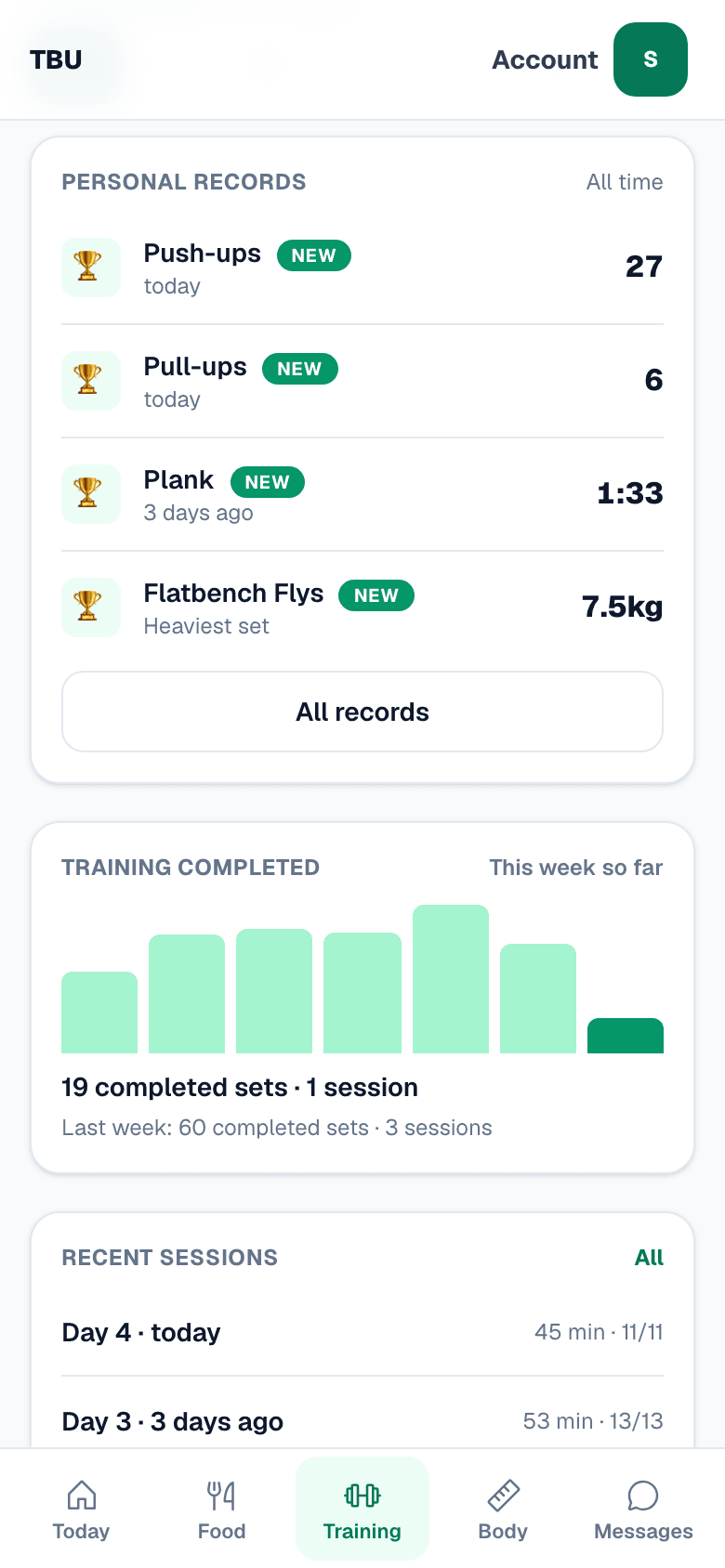
The training screen on a phone showing personal records for push-ups, pull-ups and plank, and a bar chart of completed sets by week
27 push-ups. Six pull-ups. 1:33 on the plank. Nobody typed those in — they came out of the sets.
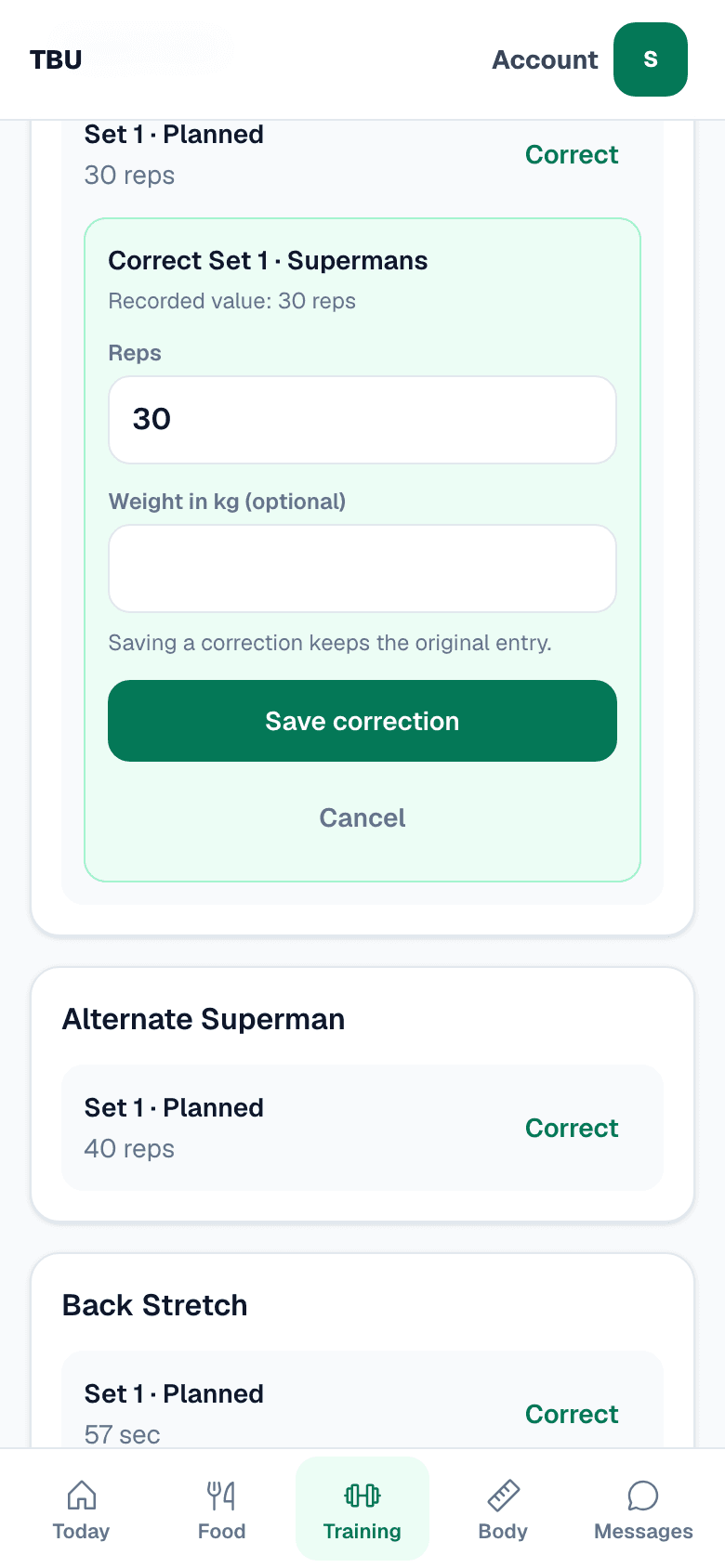
A past workout on a phone with a correction open: recorded value 30 reps, a reps field, an optional weight field and a Save correction button
Typed 30 when you did 20? Fix it from your workout history. TBU keeps the first entry underneath the correction.

04

Measure yourself

Once a week, same time, same way. Weight, tape and three photographs. You and Thomas are the two people who can open them.
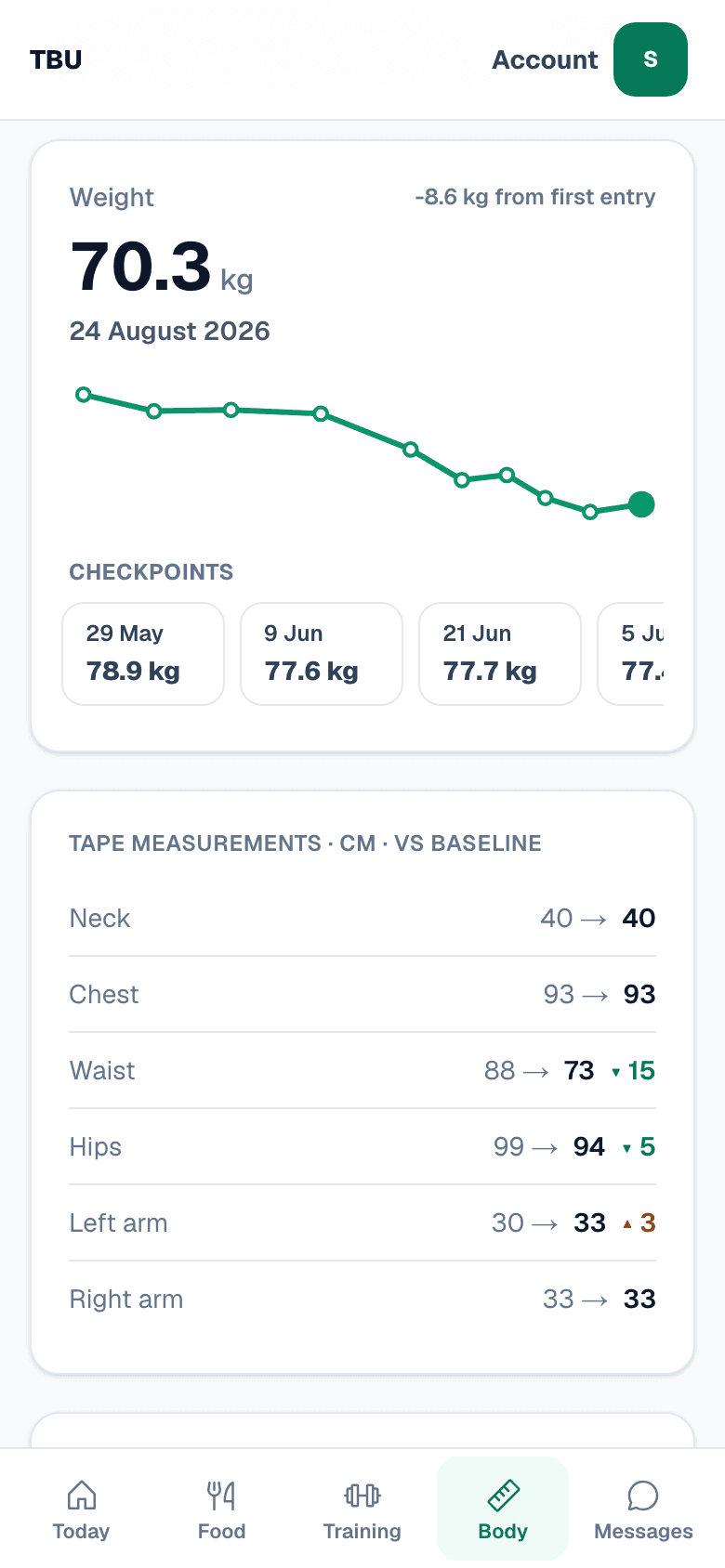
The body screen on a phone: a weight line from 78.9 kg down to 70.3 kg, and tape measurements showing waist 88 to 73 centimetres
78.9 kg down to 70.3. The flat few weeks in June are in there too. Waist 88 to 73, measured the same way every week.
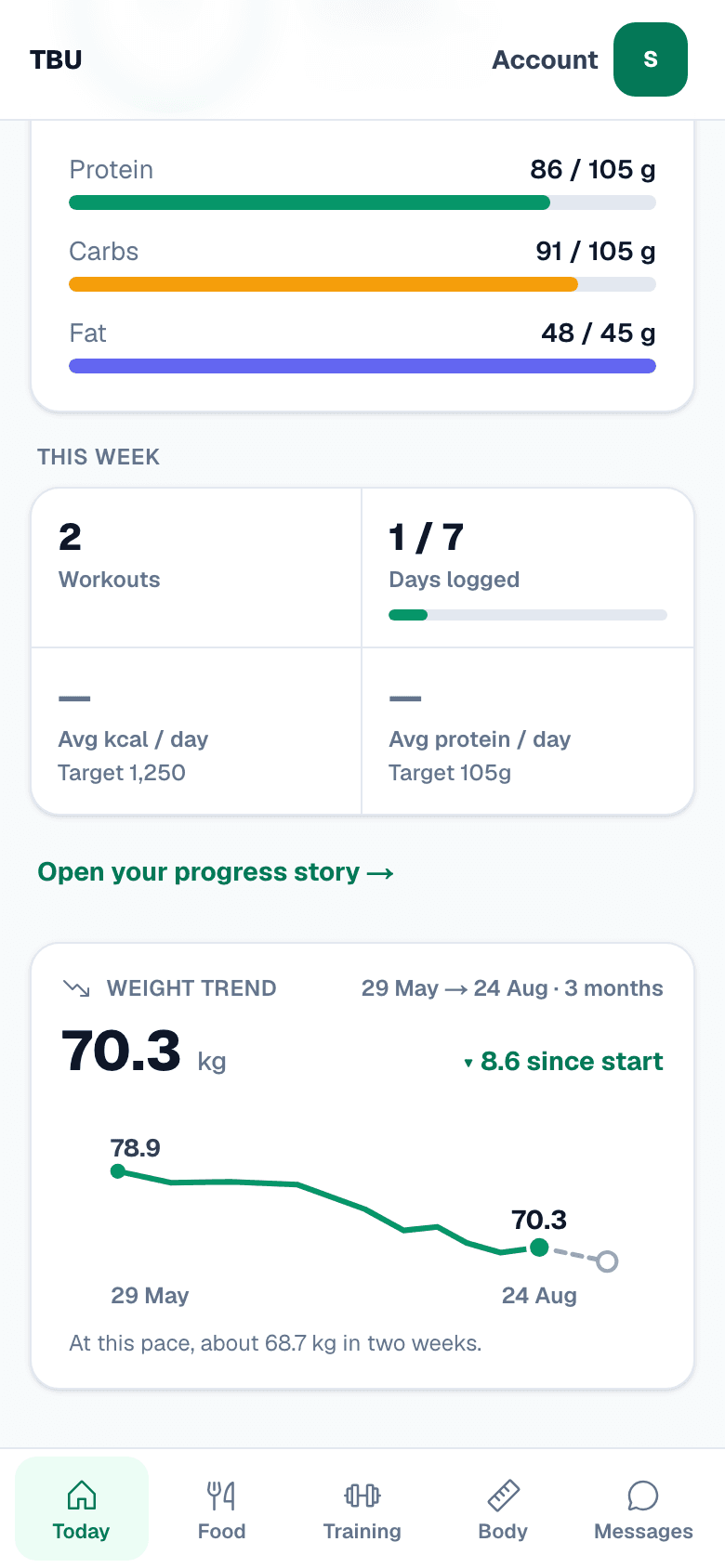
The Today screen on a phone showing a weight trend card from 78.9 kg to 70.3 kg with a dashed projection and the line at this pace, about 68.7 kg in two weeks
The dashed tail is arithmetic on the line beside it. Log a different week and it moves.
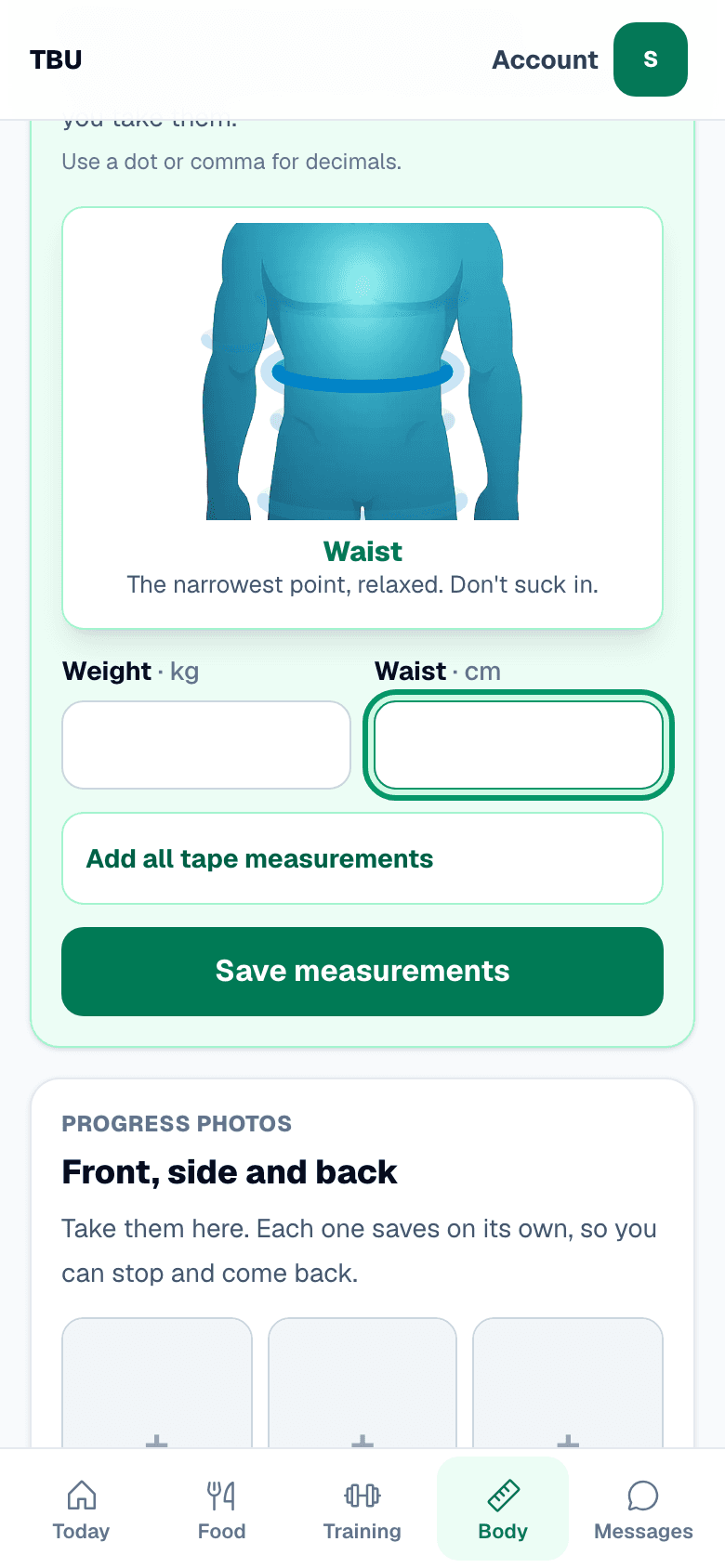
A weekly check-in on a phone with an illustrated body chart zoomed to the waist, reading the narrowest point relaxed, don't suck in
Waist: the narrowest point, relaxed, and do not suck in. Tap into a reading and the drawing zooms to where the tape goes.
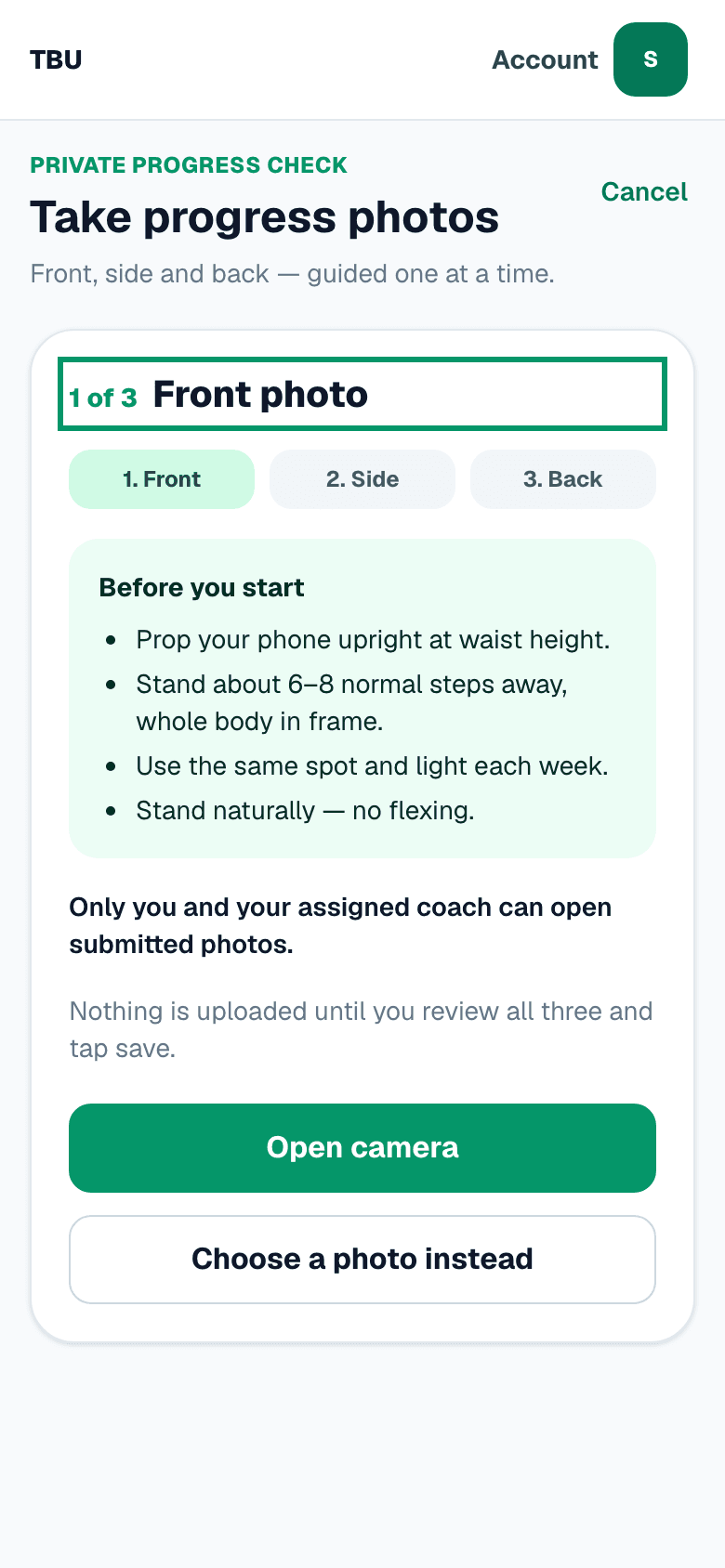
The guided progress photo screen on a phone: one of three, front photo, and a panel headed before you start with instructions for phone height, distance and light
Nothing uploads until you have looked at all three. Front, side, back, one at a time, and it tells you where to stand the phone.

05

Sunday

Every week you answer four questions and add your readings. Thomas reads it and writes back in the app.
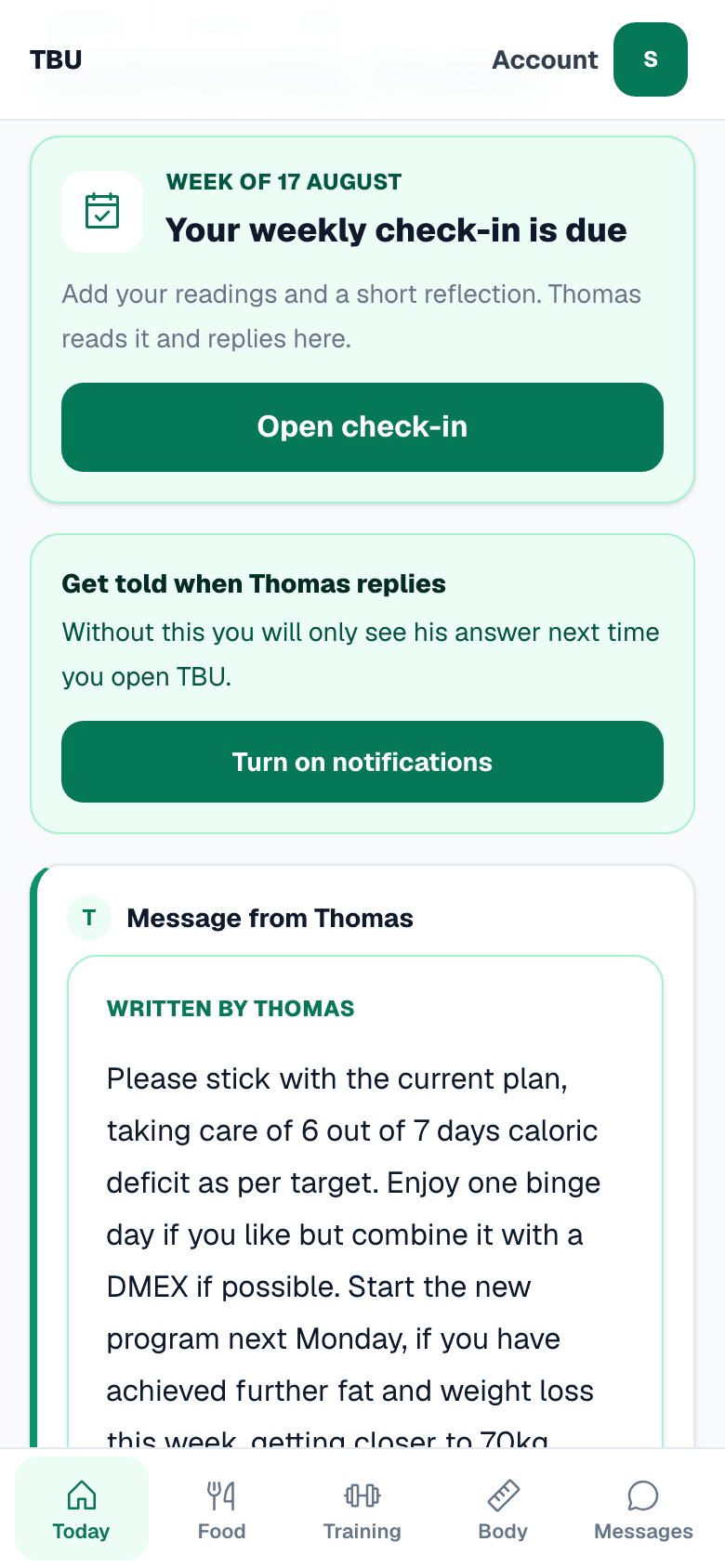
The Today screen on a phone: a card saying your weekly check-in is due, an offer to turn on notifications, and a written message from Thomas
It tells you it is due. Under it, the note Thomas left standing, and the offer to buzz your phone when he answers.
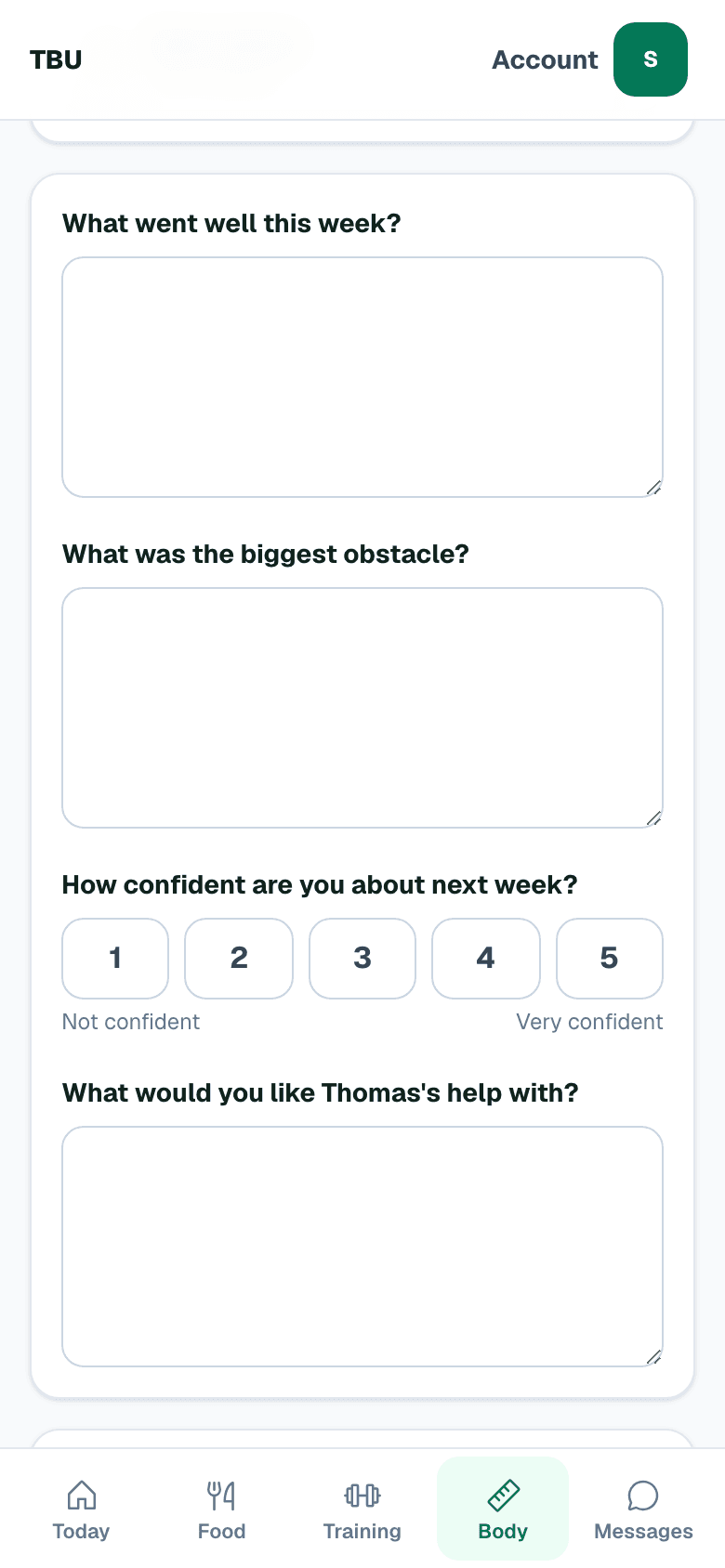
The weekly check-in questions on a phone: what went well this week, what was the biggest obstacle, how confident are you about next week, and what would you like Thomas's help with
Four questions. Two minutes. Your weight and waist go in above them.
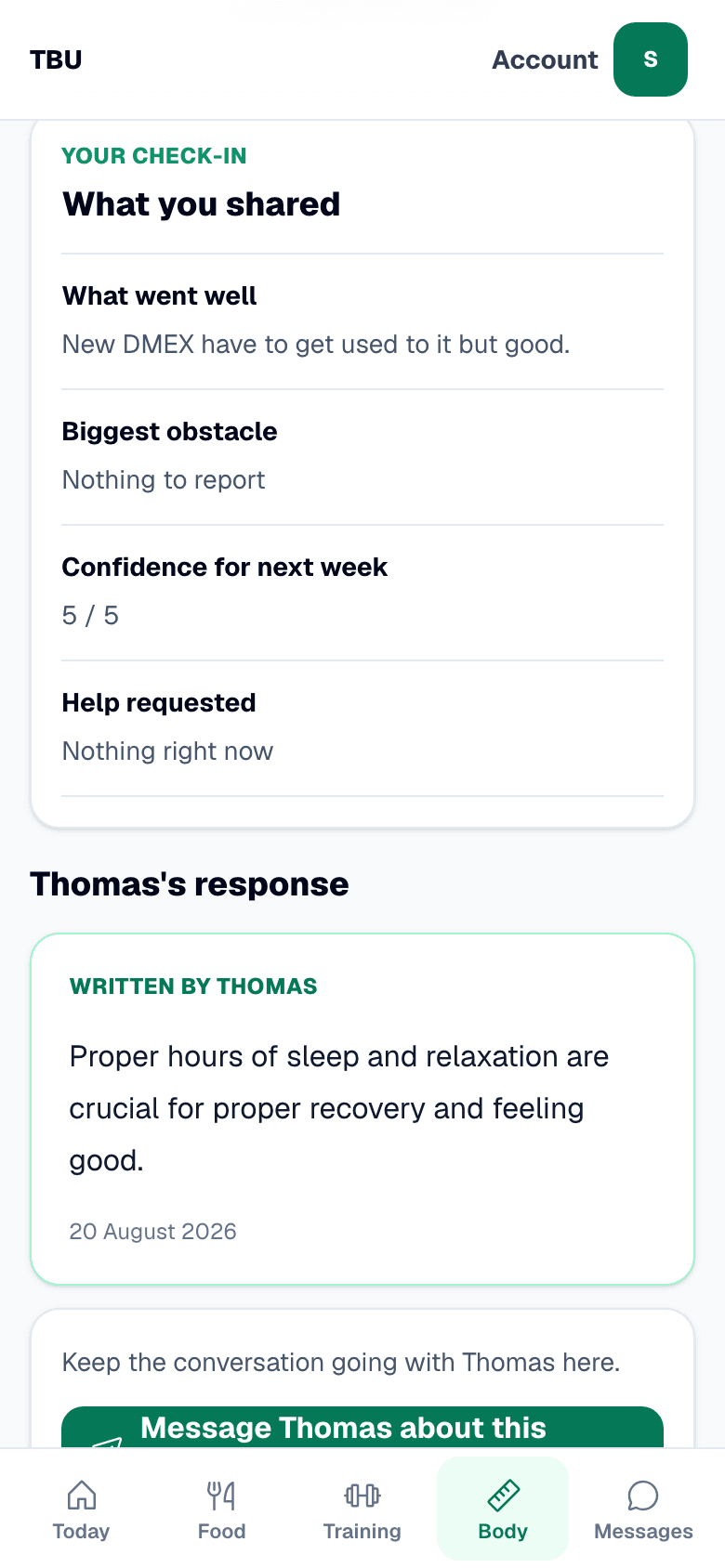
A reviewed check-in on a phone showing the student's own answers and Thomas's written response about sleep and recovery
Your answers, then his. He writes it himself, and he can pin up to three things to do next.

06

And your phone tells you

When Thomas has answered, this arrives. Your weight is not in it. Neither is your food, or anything he wrote.

Whoever picks your phone up learns that you got a reply.

Total Body Upgrade

Thomas replied to your check-in

Open TBU to read it.

$199 a month

You start with three months, then it runs month to month.

Payment is handled by Stripe. To stop after that, you write to ops@totalbodyupgrade.co. Starting means agreeing the terms and the privacy notice.